How to create a project plan with AI.
AI can help organise an early project discussion into a draft plan. The quality of that draft depends on the brief, the evidence and the review that follows. This guide uses a fictional customer portal refresh to show what to prepare and what to check in KoPMo.
Start freeFree workspace · AI features depend on your plan
1. Write a brief that defines the outcome.
Example brief: “Refresh the customer portal so customers can submit and track service requests. Include the request form, status page and support-team handover. Exclude payment processing. A product owner and designer are available; delivery dates and technical capacity need confirmation.” This is a fictional planning example, not a customer case study or a measured outcome.
2. Supply constraints and identify unknowns.
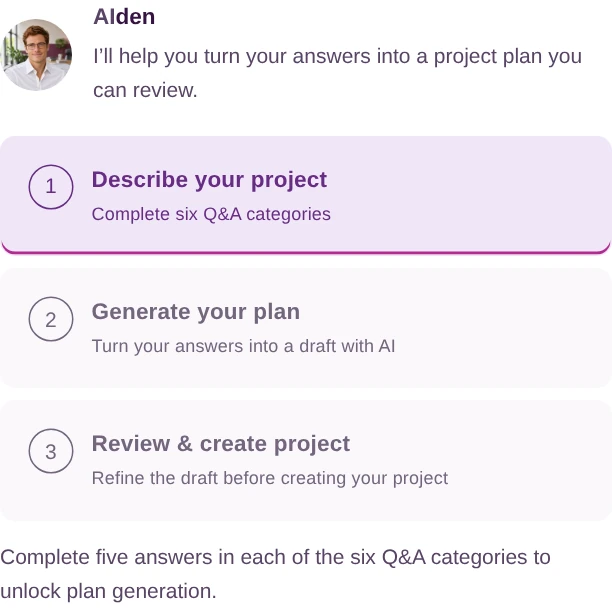
Use the six planning categories in AI Project Builder to explain scope, tasks, dates, people, costs and governance. Supply actual availability and rate information when you have it. Mark unknowns clearly. An unconfirmed deadline, a proposed role or an assumed supplier price needs review, not silent acceptance.
3. Generate a draft, then inspect the reasoning.
Request the draft plan after completing the guided questions. Treat task durations, dependencies, allocations and costs as estimates. Check that the draft covers the agreed outcome and excludes work you deliberately left out. If validation issues or missing decisions are shown, resolve the information before relying on the plan.
4. Review it with the people who will deliver.
Ask owners to check the assumptions that affect their work. For the portal example, a designer should confirm the design effort, a technical owner should check migration dependencies and the product owner should agree acceptance criteria.
- Can security review and acceptance testing fit the proposed sequence?
- Do allocations match the people and capacity actually available?
- Are labour rates and purchase estimates confirmed or assumed?
- Which risks need an owner, action or decision before commitment?
5. Create an editable project, then govern the baseline.
Use “Create project from draft” once the draft has been reviewed and the app’s requirements are satisfied. The created project remains editable and unbaselined. Establish the baseline through the separate approval process when the responsible people are ready to commit. Later changes should be reviewed against that agreed reference.
Keep a clear record of what you reviewed.
Record material assumptions, unresolved decisions and owners. When AI generation fails or a draft is retained after an error, review the displayed status before retrying. A generated plan is not proof of feasibility. This workflow is a way to structure review, not a promise of an automatically correct schedule.
Discuss your project workflow
For a product walkthrough or a tailored project-management workflow, contact the KoPMo team.
agentkopmo@gmail.com